> For the complete documentation index, see [llms.txt](https://legacy-docs.aragon.org/llms.txt). Markdown versions of documentation pages are available by appending `.md` to page URLs; this page is available as [Markdown](https://legacy-docs.aragon.org/hindi-aragon-user-documentation/undefined-1/aragon-client/explore-template-dao/what-are-apps/agent-app/how-to-install-the-agent-app-in-your-dao.md).
# How to install the Agent App in your DAO
{% hint style="danger" %}
:construction\_site:Page under construction.
{% endhint %}
You need the Agent App but it has not yet been installed in your DAO? Fear not, it can still be installed using [**EVM Crispr**](https://evm-crispr.blossom.software/#/), a tool to modify 'the DNA' of your DAO.
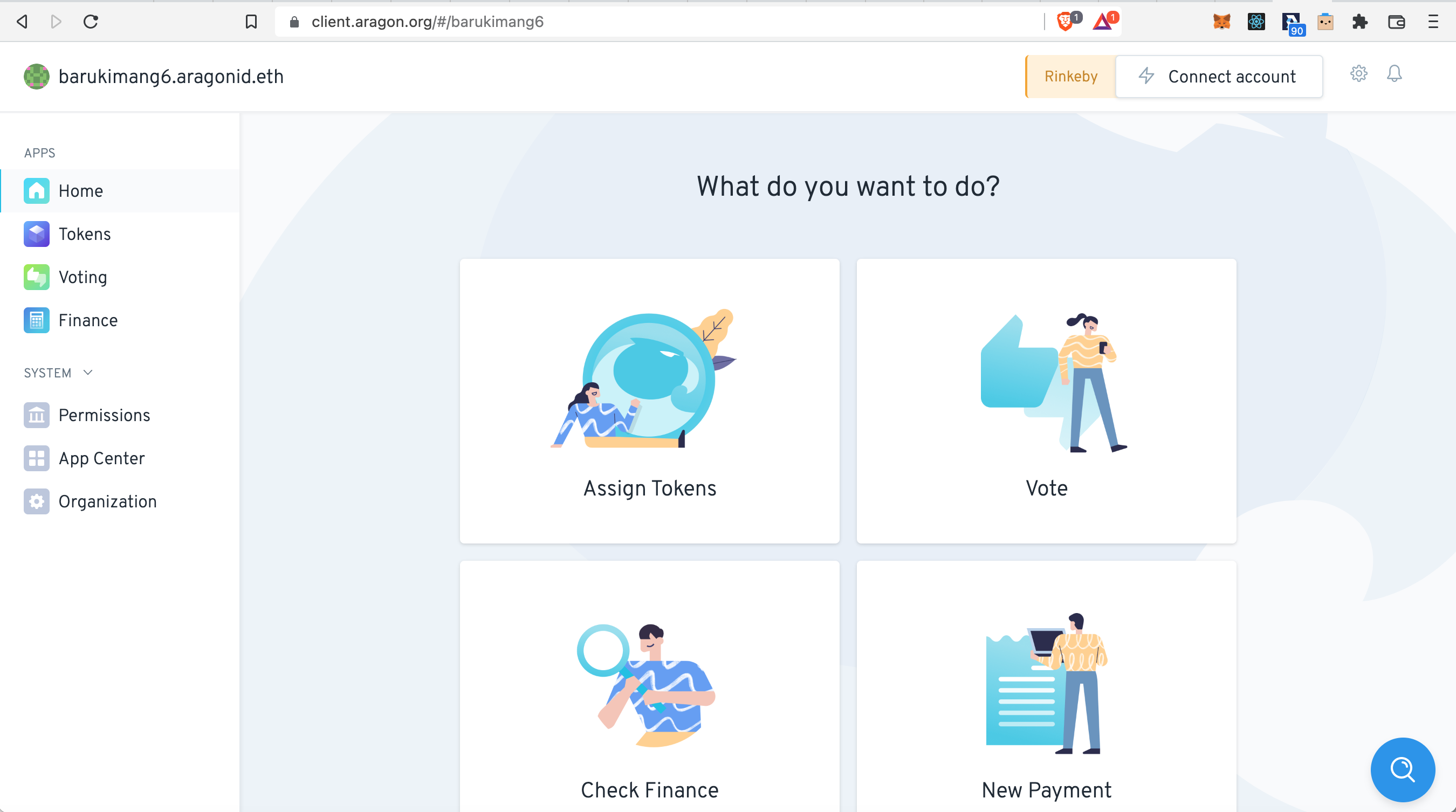
The Agent App is not installed since it is not appearing under 'APPS' in the DAO menu bar:
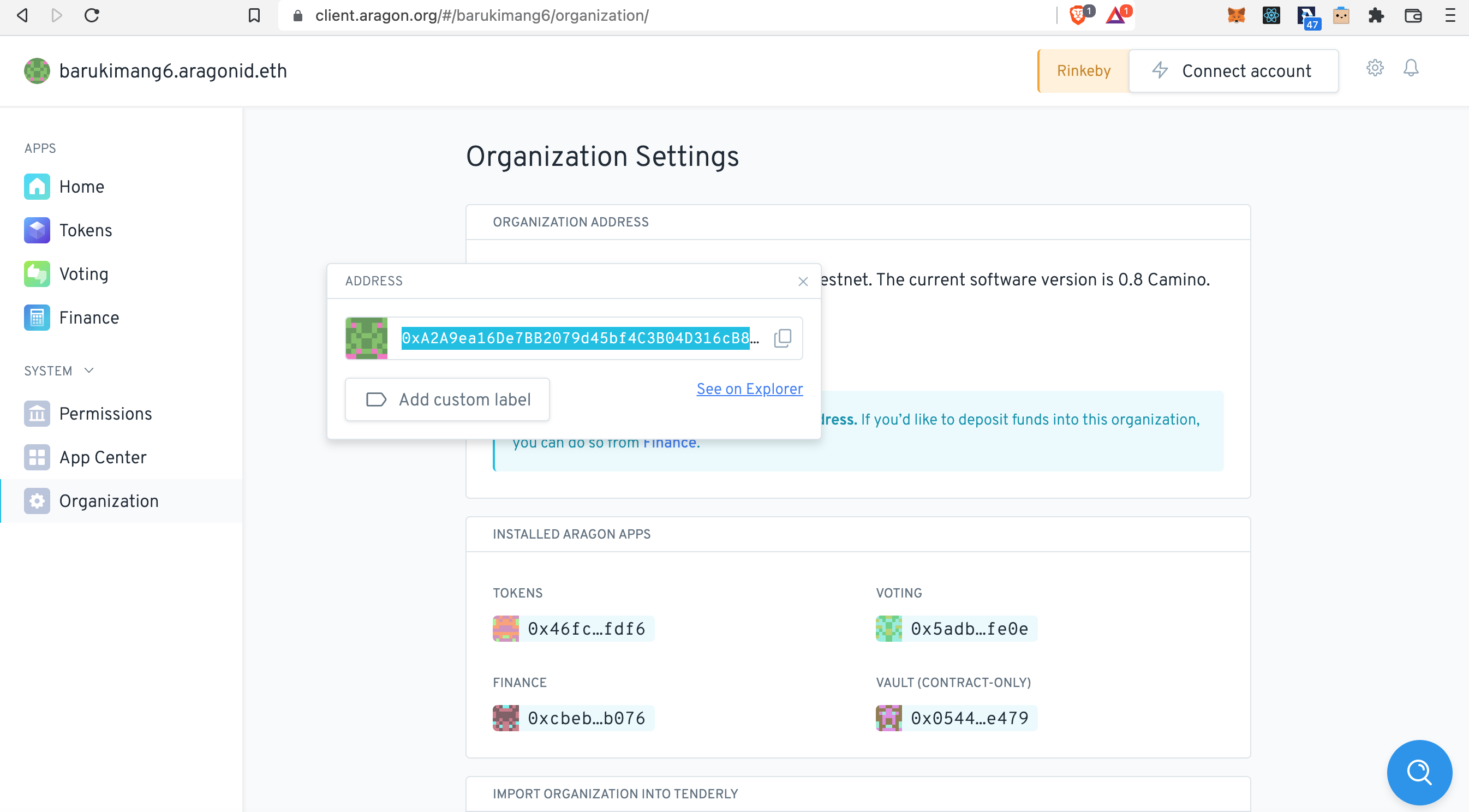
Before we head to EVM Crispr we need you to collect the 'address' of your DAO. You can find it under 'SYSTEM > Organization':
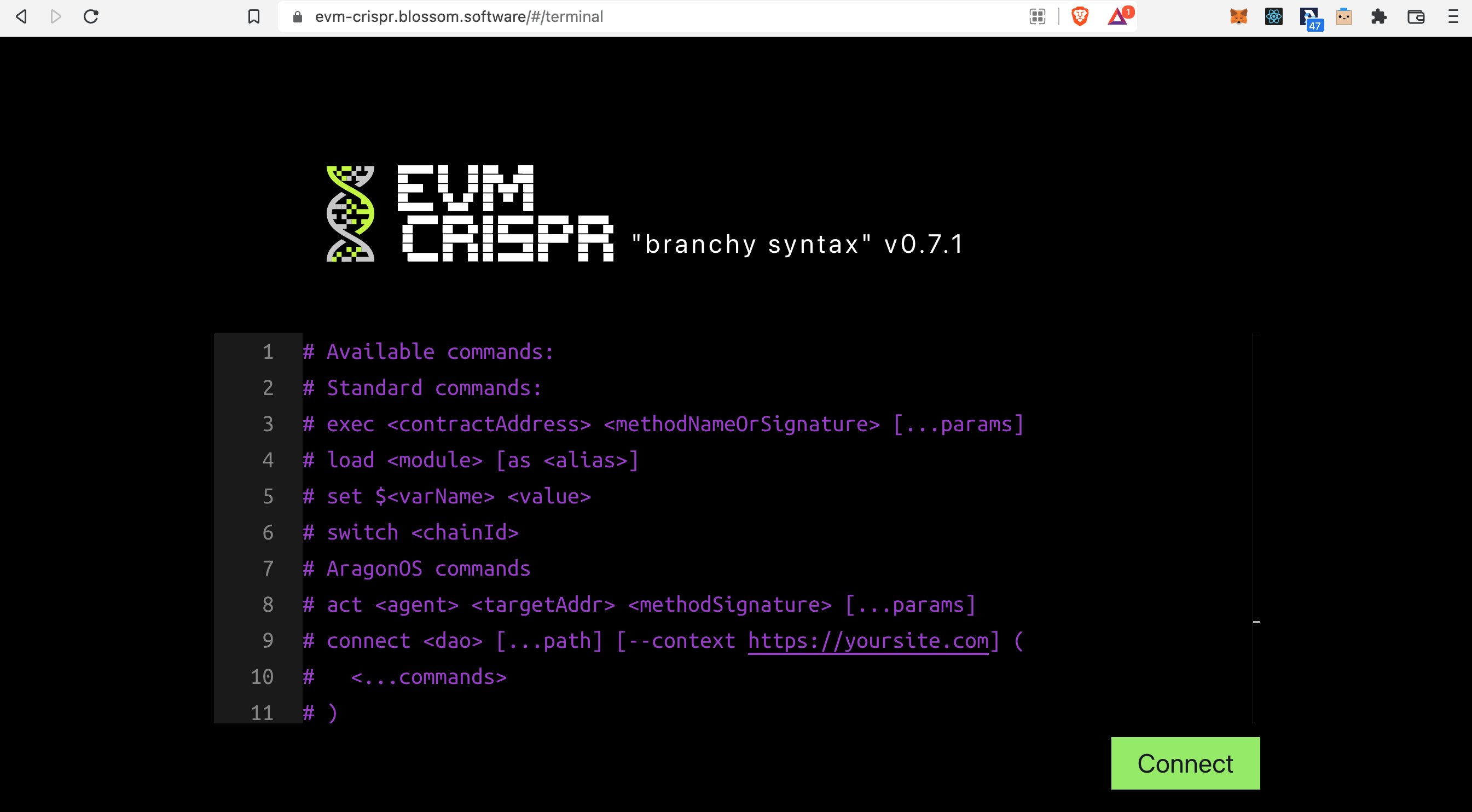
Now let's go to the terminal of EVM Crispr:
{% embed url="" %}
Clean the terminal by removing all the example commands which you will find when opening it:
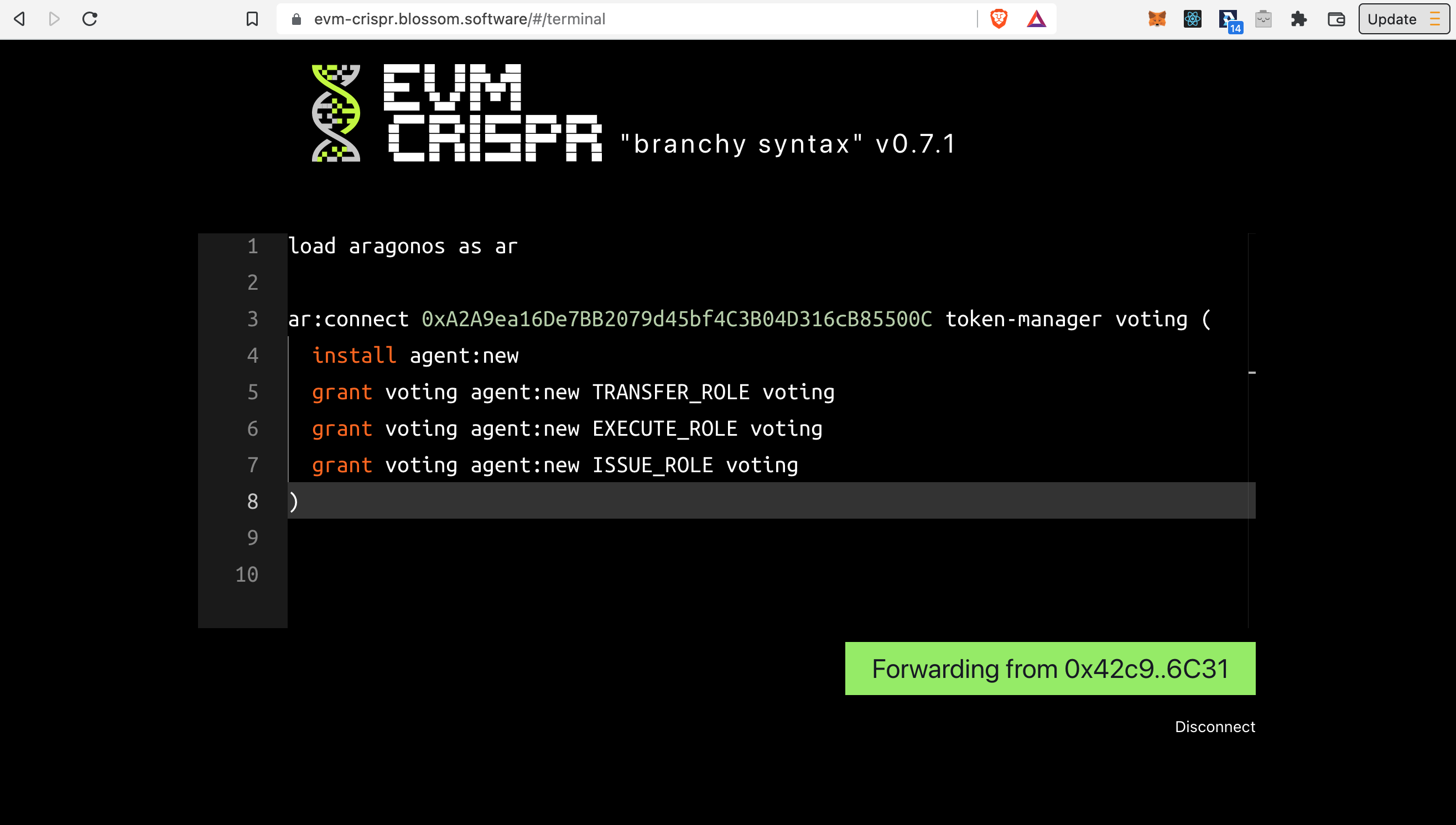
Now Copy/ Paste the following commands in the terminal:
```
load aragonos as ar
ar:connect token-manager voting (
install agent:new
grant voting agent:new TRANSFER_ROLE voting
grant voting agent:new EXECUTE_ROLE voting
grant voting token-manager ISSUE_ROLE voting
)
```
{% hint style="info" %}
Next to installing the Agent app we also grant the voting app with the `TRANSFER_ROLE`, `EXECUTE_ROLE`, and `ISSUE_ROLE` so `exec agent` and `act agent` commands can be used in the future.
{% endhint %}
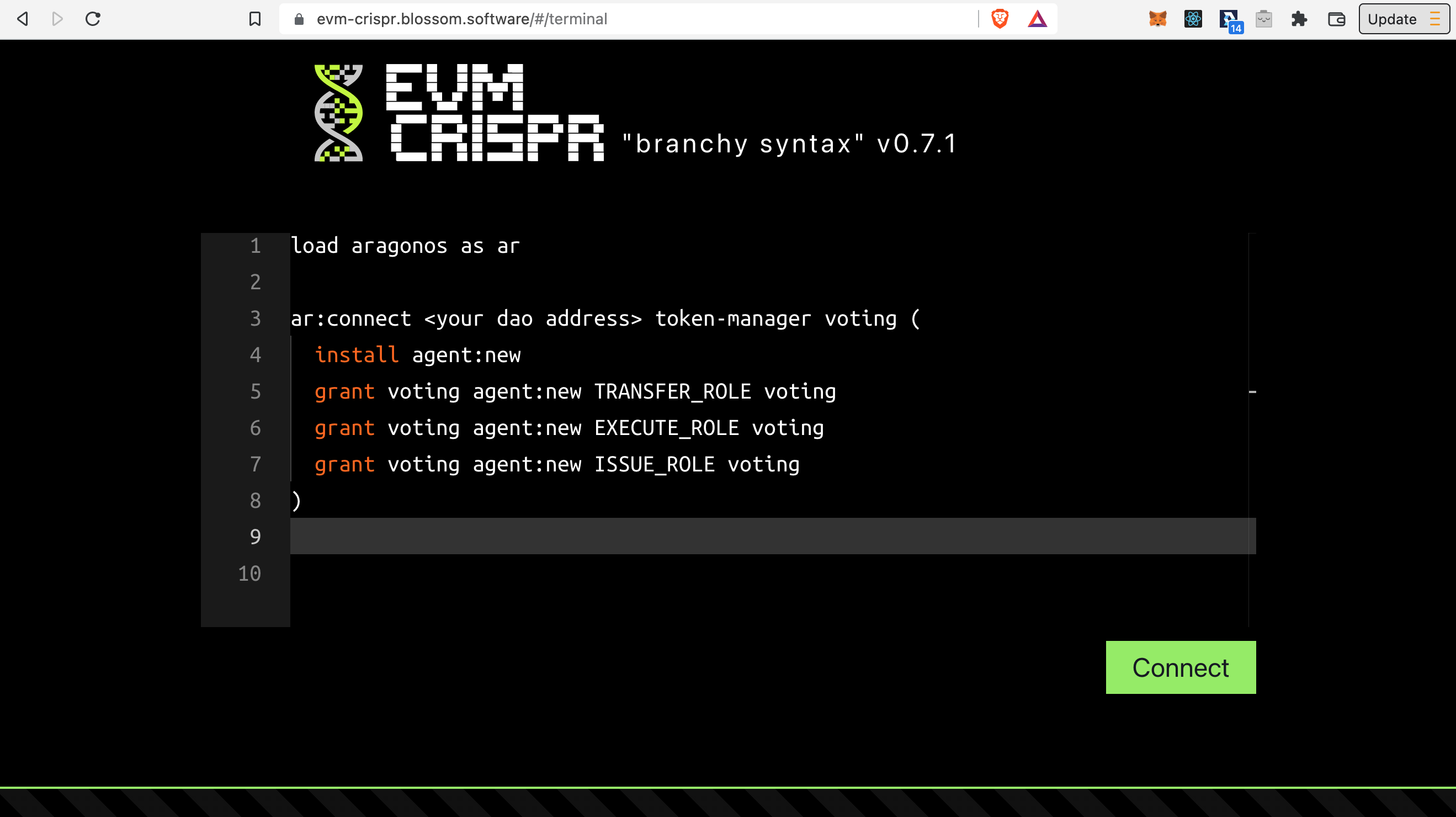
This is what the terminal should look like after Copy/ Paste of the above commands:
Find the DAO address which you saved earlier and now replace `` with the address. Click **Connect** and connect with your Web3 wallet (usually MetaMask).
{% hint style="danger" %}
Make sure your Web3 wallet is connected to the **Network** on which the Aragon DAO was created. Also it should be set to the **Account** which has created the DAO on Aragon Client and/ or owns the DAO tokens
{% endhint %}
Now click on **Forwarding from...** :
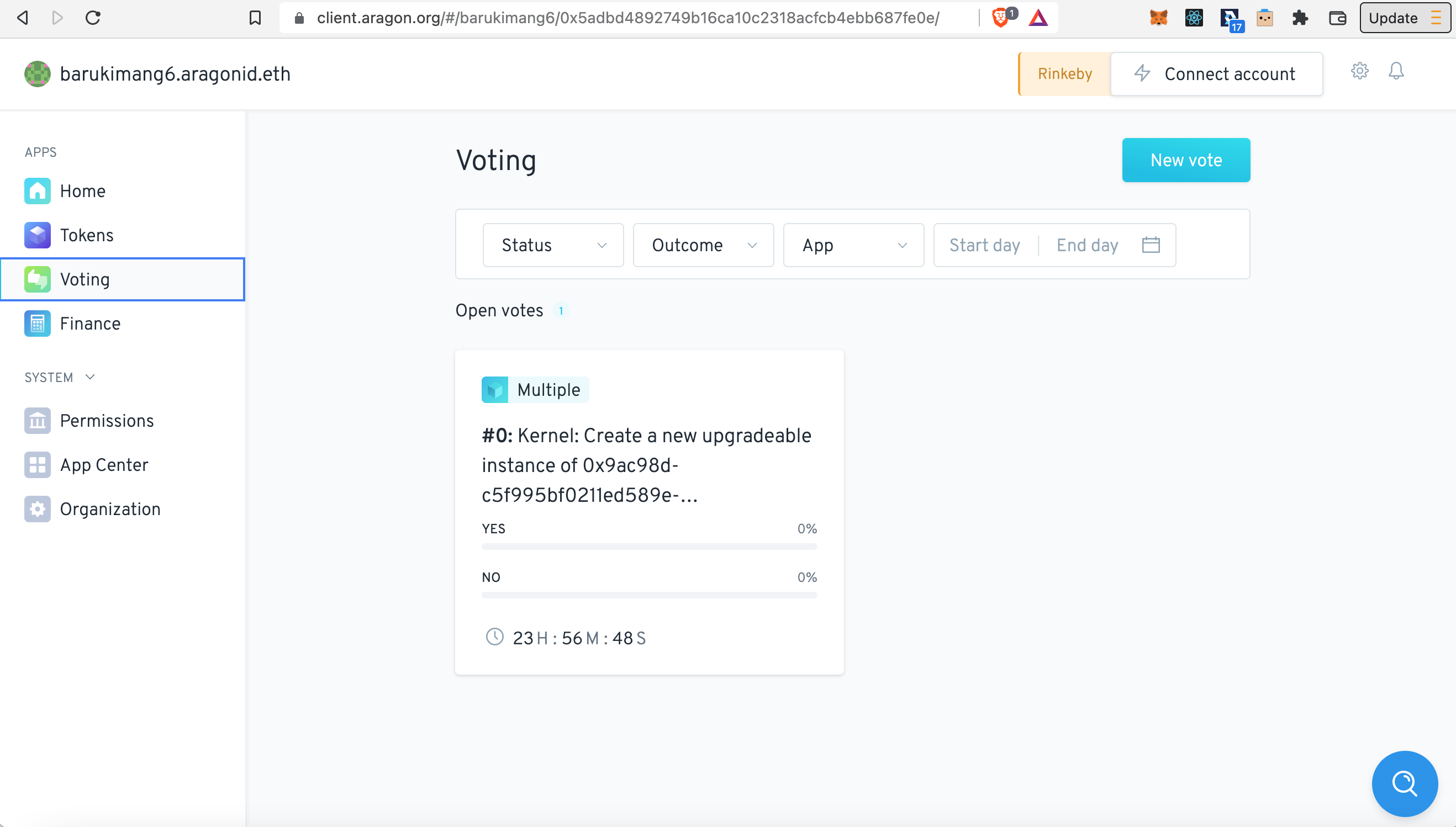
A transaction request should now pop-up in your Web3 wallet. Confirm the transaction. Once the transaction has successfully processed in your Web3 wallet return to your Aragon DAO and open the 'Voting' app from the menu bar. You should see that a vote has been generated:
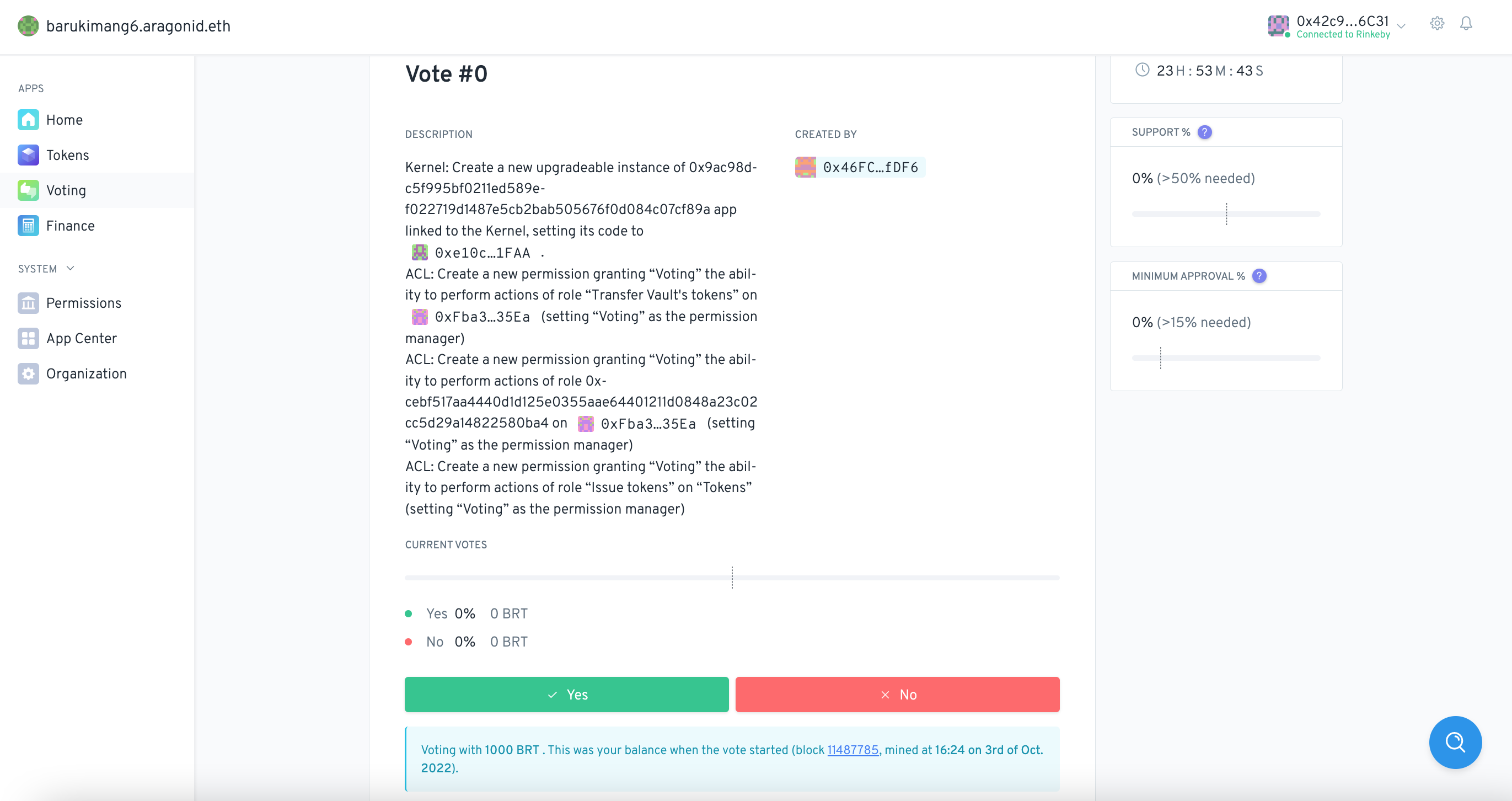
Now open the vote by clicking on it, and connect your Web3 wallet at the top right hand corner. Once connected scroll down and approve the vote by clicking **Yes**:
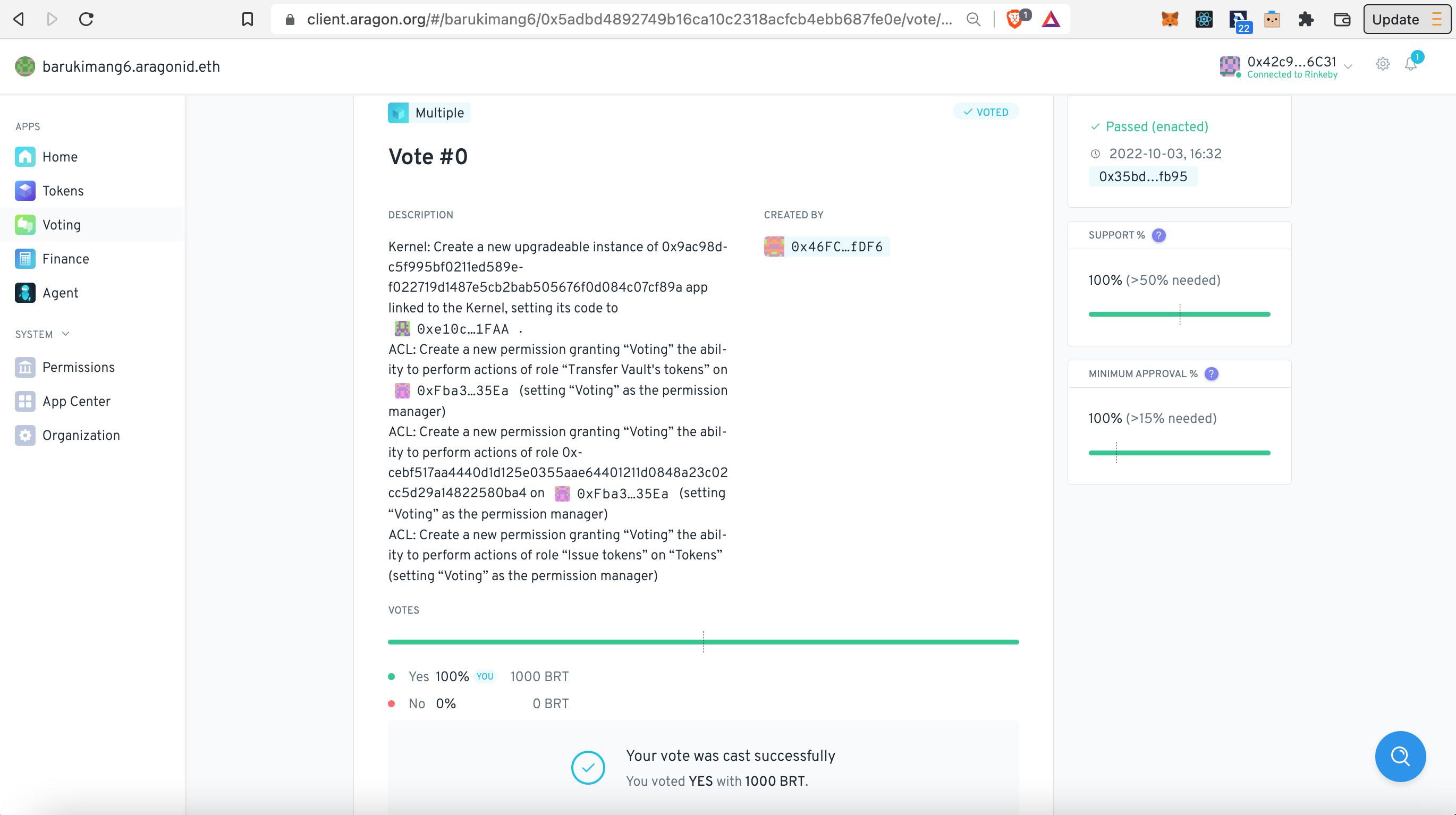
Then click **Create transaction** and Confirm the transaction in your Web3 wallet. Once the transaction has processed and the vote has passed you should now see the Agent App appear automagically in the menu bar! :partying\_face:
{% hint style="danger" %}
If your address does not have enough 'DAO tokens' for the vote to meet the Support and Minimum approval necessary, then mobilise other token holders to vote so the vote can pass.
{% endhint %}
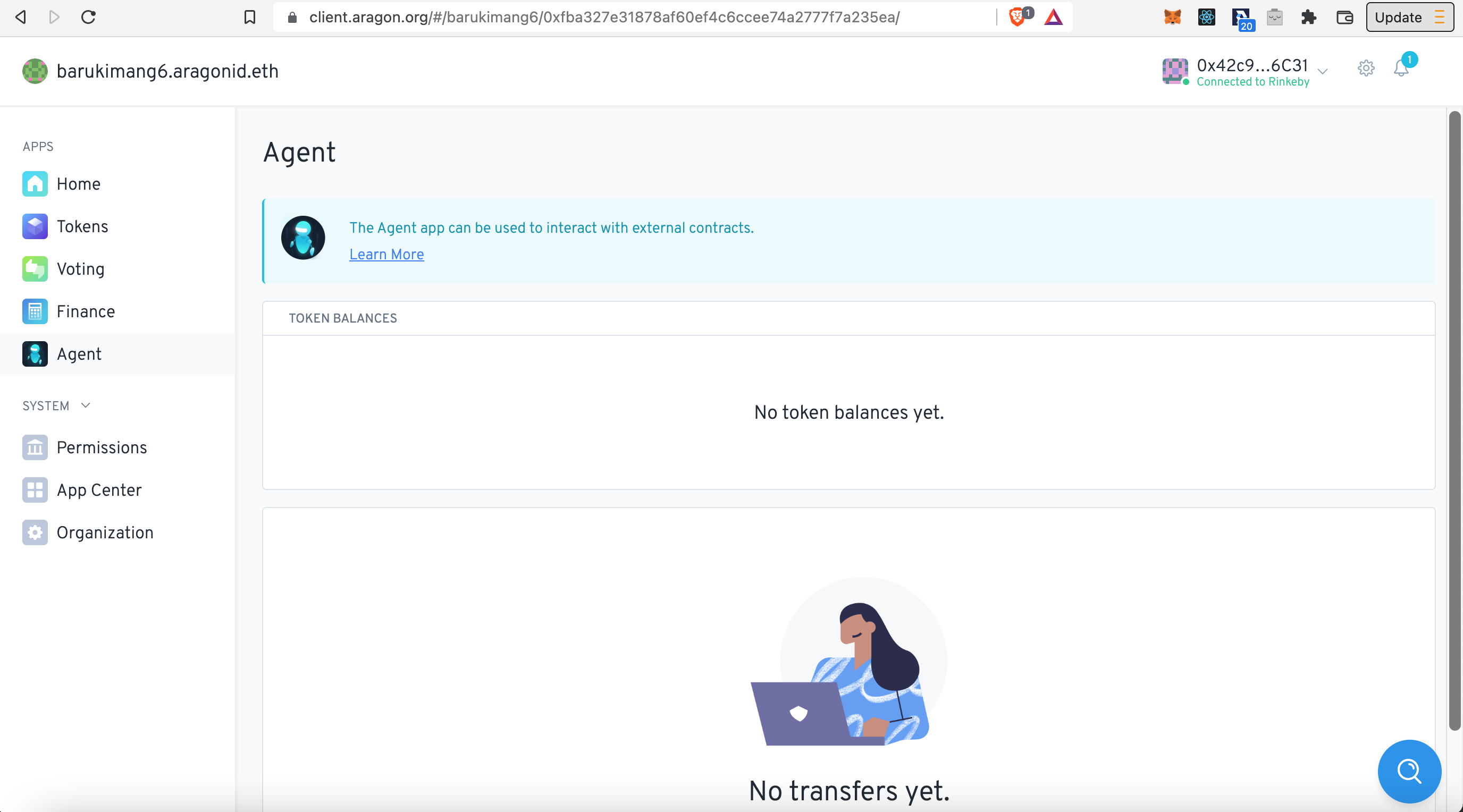
TheAgent App should look like this:
Read the next Article on [how to use the Agent app](/hindi-aragon-user-documentation/undefined-1/aragon-client/explore-template-dao/what-are-apps/agent-app/using-agent-with-frame.md)!
And for more options using the Agent App with EVM Crispr, check here:
{% embed url="" %}